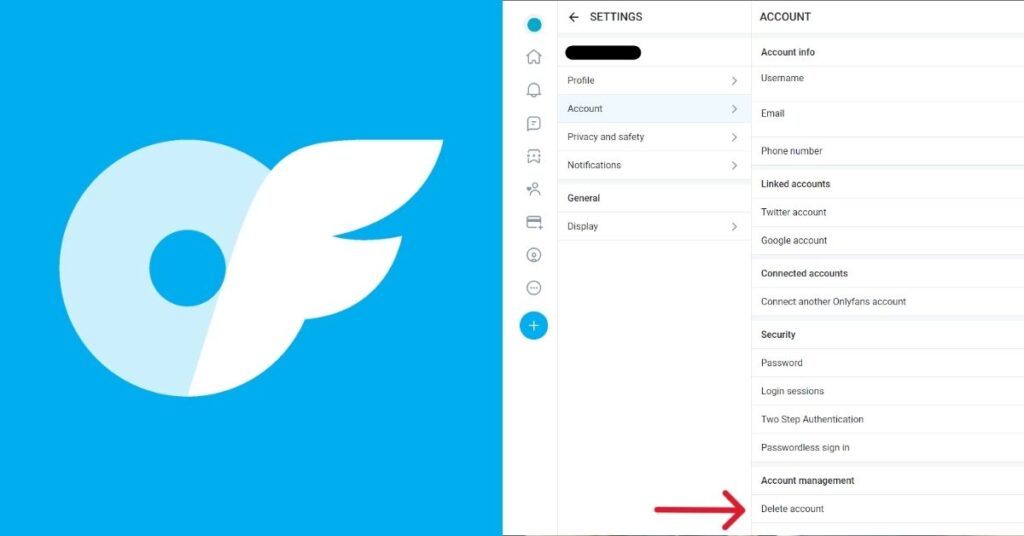
You can delete your OnlyFans account by going to your account settings and selecting the delete option after logging in.
Deleting an OnlyFans account is a simple process, but you must first cancel subscriptions and clear any pending wallet balance before starting.
In this article, we will explain step-by-step how to delete your OnlyFans account, cancel subscriptions, and handle payments in a very simple way.
Important Things to Know Before You Delete Your OnlyFans Account
Before you delete your OnlyFans account, there are a few important things you should understand:
- Account deletion is permanent and cannot be reversed later.
- All your profile, messages, and content will be removed from the platform.
- Active subscriptions will stop once the account is deleted.
- Any remaining wallet balance or pending earnings should be checked first.
- You may lose access to your account history after deletion.
How to Cancel Active OnlyFans Subscriptions Before Deleting Your Account
Before deleting your OnlyFans account, you should cancel all active subscriptions to avoid future charges.
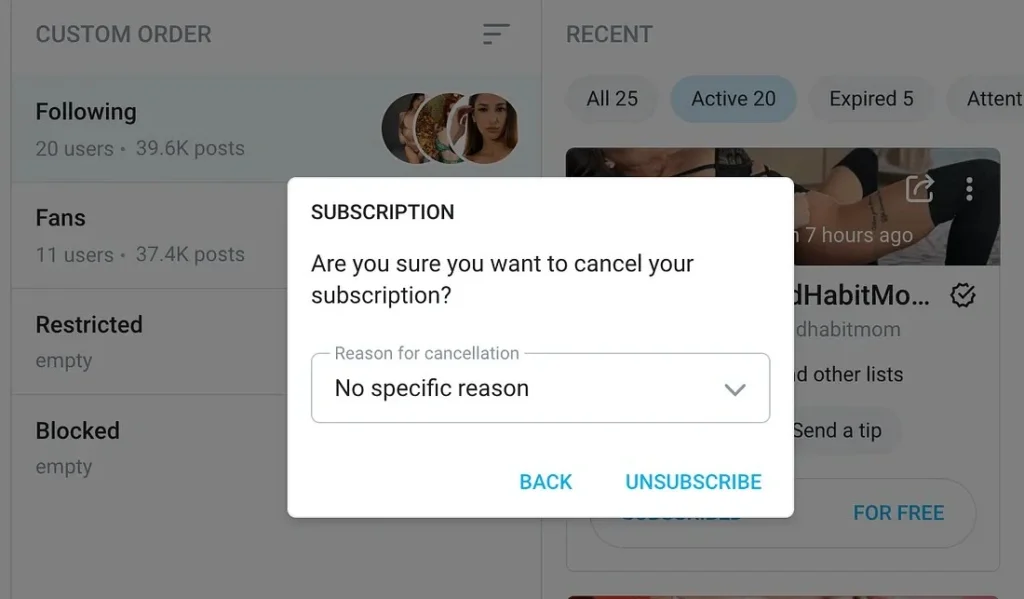
Follow these simple steps to cancel your subscriptions:
- Log in to your OnlyFans account.
- Go to the “Subscriptions” or “Following” section.
- Open each active creator profile.
- Turn off auto-renew or click “Unsubscribe.”
- Repeat the process for all active subscriptions.
Once all subscriptions are cancelled, you can safely proceed with account deletion without any billing issues.
Step-by-Step Process to Delete Your OnlyFans Account
If you want to permanently delete your OnlyFans account, you need to follow a few simple steps inside your account settings.
Follow the steps below to delete your OnlyFans account safely:
Step 1: Log in to your OnlyFans account using your username and password.
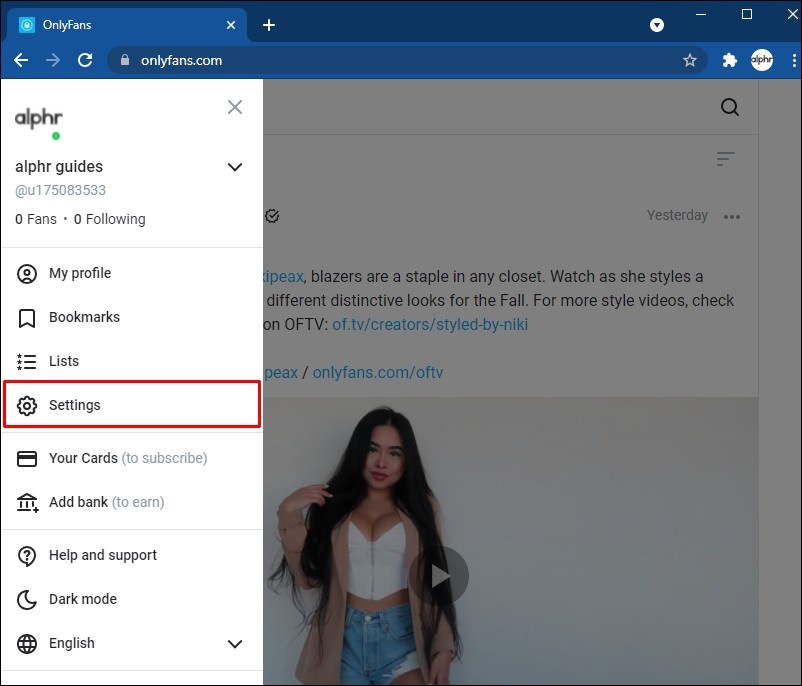
Step 2: Click on your profile icon to open the main menu.
Step 3: Go to the “Settings” option in your account menu.
Step 4: Open the “Account” or “Privacy” section.
Step 5: Select the “Delete Account” option.
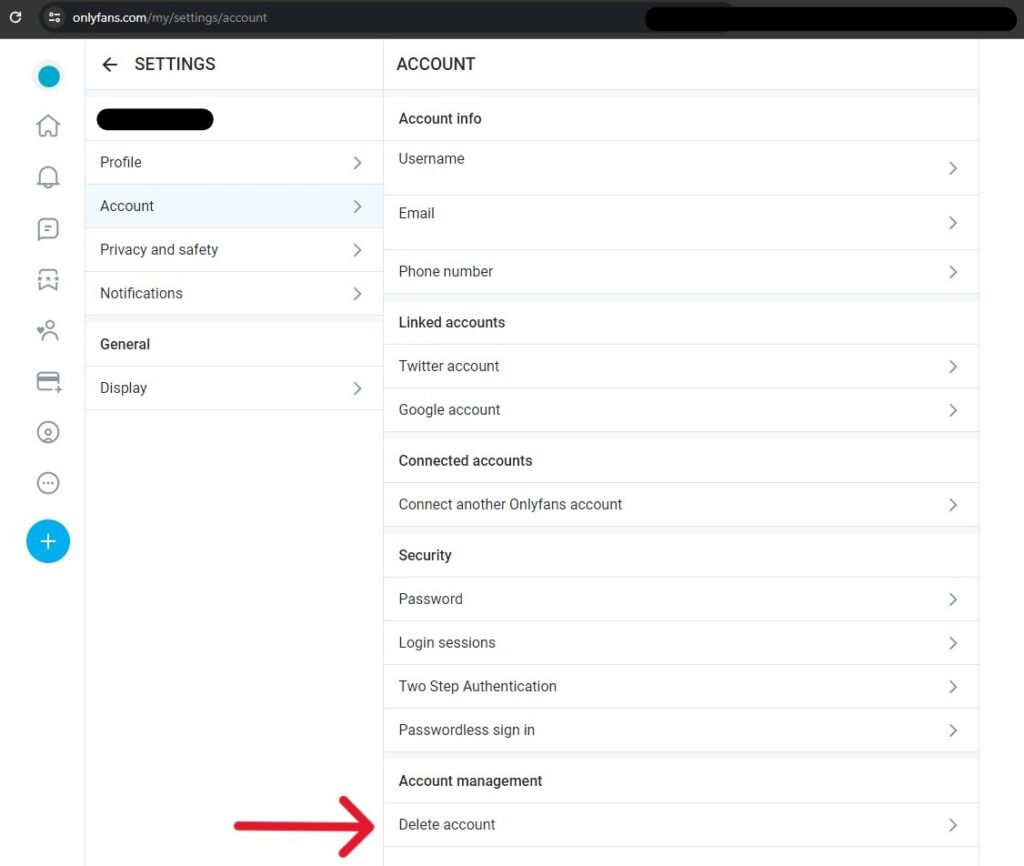
Step 6: Follow the on-screen instructions and confirm your choice.
Step 7: Enter the verification code or password again if asked to confirm deletion.
OnlyFans Wallet, Earnings, and Final Payouts Explained
Before you delete your OnlyFans account, it is important to understand what happens to your wallet balance, earnings, and final payouts. This helps you avoid losing any money or missing pending payments.
- Your OnlyFans wallet contains the money you have earned on the platform.
- Any pending earnings may take some time before they are available for withdrawal.
- It is recommended to request a payout before deleting your account.
- Once the account is deleted, you may lose access to your wallet and earnings details.
- Payout time depends on your selected payment method and bank processing speed.
Why You May Not Be Able to Delete Your OnlyFans Account
Sometimes you may face issues while trying to delete your OnlyFans account. Below are the common reasons and what you can do to fix them.
| Reason | Explanation | What You Should Do |
|---|---|---|
| Active subscriptions | You still have subscriptions running on your account. | Cancel all active subscriptions first. |
| Pending earnings | Your wallet has unpaid or processing funds. | Wait for payout or withdraw funds. |
| Login issues | You are not properly logged in or are facing access problems. | Log in again and verify your account. |
| Verification problems | Your account is not fully verified. | Complete identity or email verification. |
| Technical errors | Temporary platform glitches or server issues. | Try again later or refresh the page. |
Alternatives to Permanently Deleting Your OnlyFans Account
If you are unsure about deleting your OnlyFans account, there are a few alternatives that let you take a break or reduce activity without losing your account permanently.
The options below are useful if you may want to return to OnlyFans later instead of deleting everything permanently.
- Take a break: Simply stop using your account for a while without deleting it.
- Turn off subscriptions: Cancel all subscriptions and stop spending or earning activity.
- Remove payment methods: Disconnect your card or bank details for extra control.
- Limit account usage: Log out and avoid posting or engaging with content.
- Check privacy settings: Adjust settings to reduce visibility and interactions.
Suggested Reads:
Conclusion: You Can Delete Your OnlyFans Account by Using Settings, Cancelling Subscriptions, and Confirming Permanent Deletion
You can delete your OnlyFans account by logging in, going to settings, and selecting the delete account option after cancelling subscriptions and clearing any wallet balance.
The process is simple, but you must complete a few important steps first, like stopping active subscriptions and checking your earnings to avoid issues during account deletion.
Once everything is done, your account will be permanently removed, and you will no longer have access to your profile or data. Follow the steps carefully for a smooth deletion.
FAQs
No, once you permanently delete your OnlyFans account, it cannot be restored. You must create a new account if needed again.
Yes, deleting your OnlyFans account automatically cancels all active subscriptions and stops any future billing or recurring payments immediately.
Any unpaid earnings should be withdrawn before deletion. After account removal, access to the wallet or payout history is generally unavailable.
Account deletion usually processes immediately or within a short period, but full removal from systems may take some additional time.
No, you must log into your OnlyFans account first. Without access, account deletion cannot be completed through standard settings.